"AI assistant" is suddenly in every job post and every client call, and it can sound a little like it's coming for your job. It isn't, and it isn't just a fancier chatbot either. Here's the difference in plain words, from my own real setup, so you know exactly what one can do for you and what stays yours.
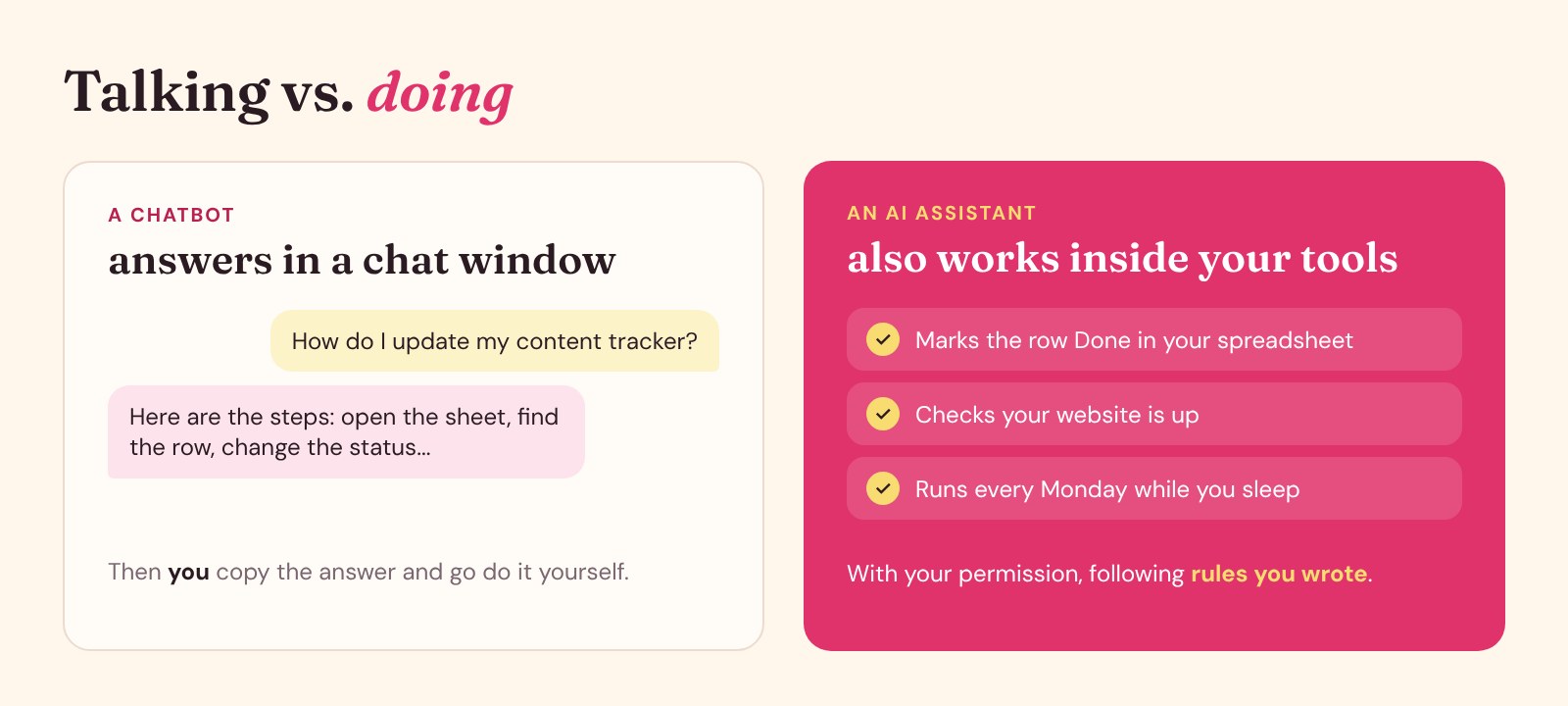
So what is an AI assistant, really? A chatbot answers questions in a chat window. An AI assistant can also do work inside your tools, with your permission and inside rules you set: read and update a spreadsheet, draft an email, check a website, and run jobs on a schedule while you're doing something else. You still make the decisions. It does the busywork.
That's the whole difference. The rest of this post is what that looks like in my own setup, the four words you need to know, and what always stays human.
The short version: talking vs. doing
Think of it like this:
- A chatbot is a very smart person on the other end of a text thread. You ask, it answers. If you want something to actually happen, you copy its answer and go do it yourself.
- An AI assistant is that same smart person, but you've handed them a set of keys. Not every key. Just the ones you chose, for the jobs you chose, with a note on the fridge about what they may and may not touch.
The AI underneath can be exactly the same. I use Claude for both. What turns a chatbot into an AI assistant is what you connect it to and the rules you give it.
The way I think about it: "its just like a personal assistant that any CEO would have." A CEO's assistant doesn't decide what the company makes. They keep track of things, get things ready and remind the boss. That's the job.
The four words that make it an AI assistant
Here's my setup, as of October 2026, in plain words. Every piece is something you switch on or write once.
1. Connectors (the keys)
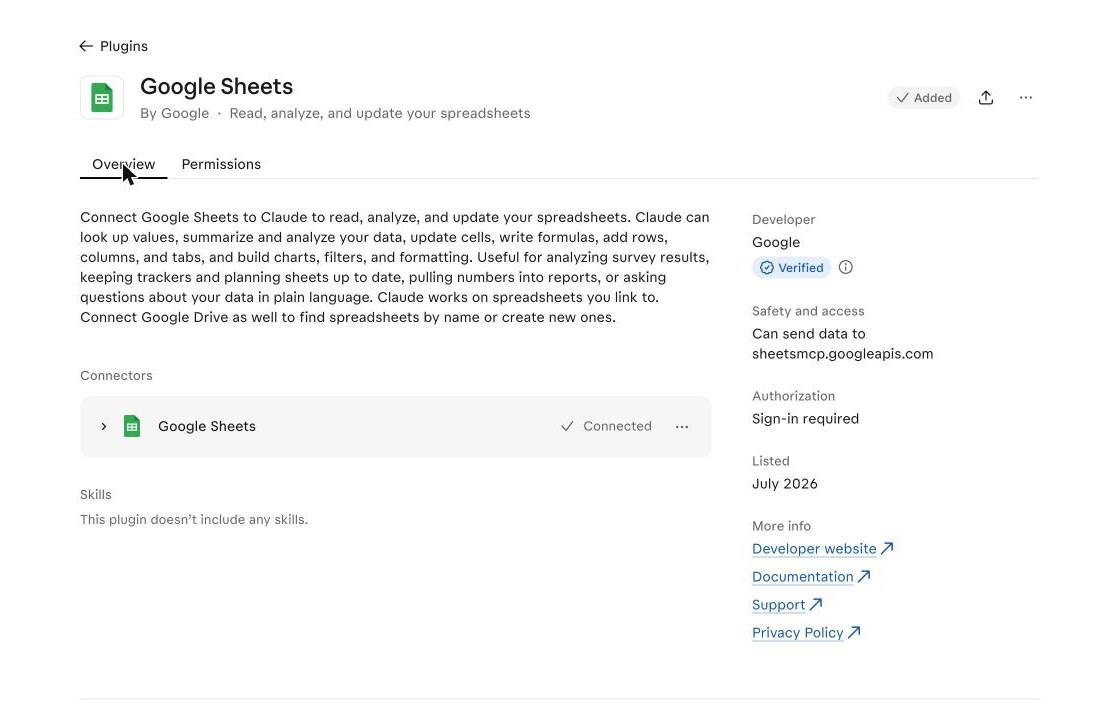
A connector is a direct link between Claude and one of your apps, like Google Sheets, Google Drive or Canva. Anthropic describes connectors as a way to "let Claude access your apps and services, retrieve your data, and take actions within connected services."
One detail I love, especially if you work in client accounts: Claude gets the same access you have in that app, no more. If you can't open a file, Claude can't open it through the connector either.
In my setup, the Google Sheets connector is what lets my AI assistant read my to-do spreadsheet and update it. Without it, I'd be pasting rows into a chat window like it's 2023. (What a connector is, and how to choose what it may do without asking.)
2. Projects (the desk)
A project in Claude is a workspace for one area of your life or work. It has its own instructions (what it's for, your rules, where things live), its own files and its own chats. You explain yourself once, and every chat inside it already knows.
I have one project for each website I run, one for my husband Jake's running channel, one for the content work I do for others, and one called Command Center that keeps track of all of them. (Here's how I set them up to work together.)
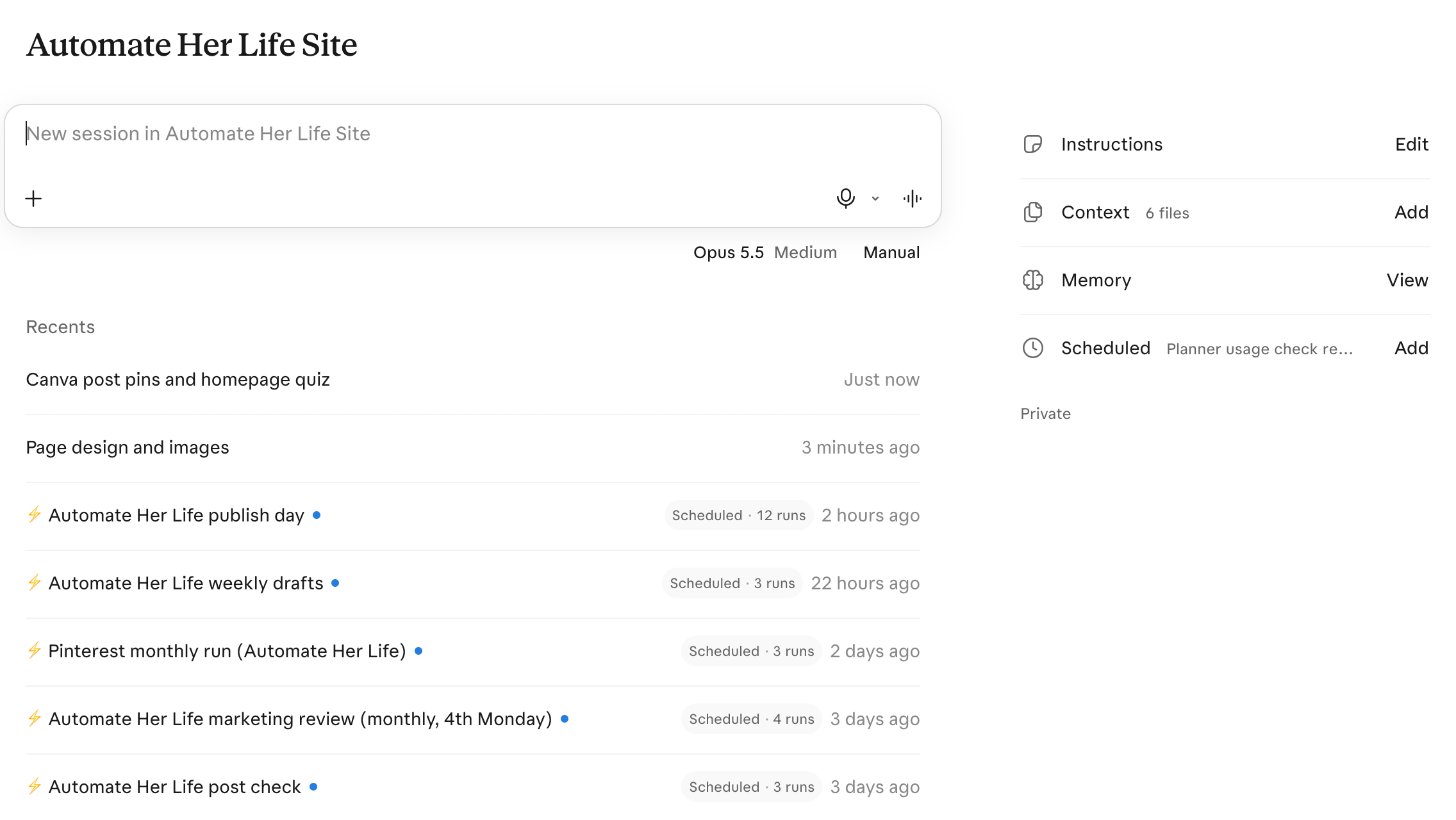
If you're a VA, this is the part that should make you sit up: one project per client means each client's rules, voice and files stay in their own space. Your AI assistant in one client's project doesn't wander into another's.
3. Scheduled tasks (the alarm clock)
A scheduled task is a job Claude runs on its own at a set time: every weekday morning, every Monday, once a week. Anthropic's help pages say they can run hourly, daily, weekly, on weekdays only, or when you click run, and that they keep running even when your computer is asleep. The exception is a task that needs something on your own computer, like your web browser. (As of October 2026, scheduled tasks are on Claude's paid plans.)
This is the biggest difference from a chatbot. A chatbot only works when you're typing to it. A scheduled task works while you sleep. Mine include:
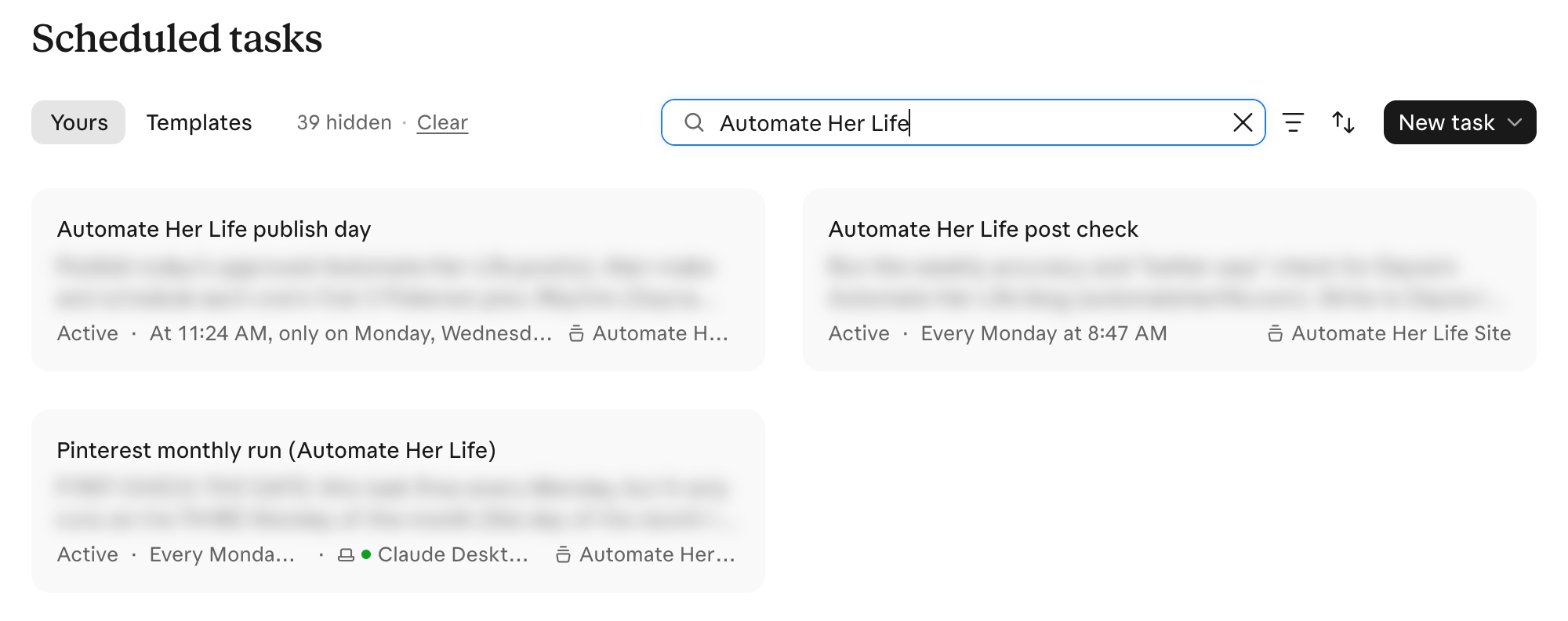
- A morning queue. Every weekday at 8:45, my AI assistant reads my tracker spreadsheet and sends me a short list of what to do today, in order, with how long each thing takes. (The whole setup is here.)
- A weekly post check. Every Monday, it looks for tutorials on this site that haven't been checked in over 30 days and re-checks every step. (How that works.)
- A grocery cart. Every third Monday, it fills my online grocery cart from what we usually buy and stops right before paying.
4. Standing rules (the note on the fridge)
This is the piece most people skip, and it's the one that matters most. Standing rules are the instructions your AI assistant reads every single time: what it may do on its own, what it must always ask about, and how it tells you what it did.
Here's how I put it: "certain things can be totally hands off, after you make certain decisions, rules etc."
I keep a short list I call standing yeses: boring, undoable jobs my AI assistant may do without asking me, like tidying duplicate rows in my tracker or scheduling Pinterest pins that follow my written playbook. Every Monday it lists everything it did on its own, under "Done on standing yes", and I skim it in a minute.
What an AI assistant actually does in a normal week
Here's what my AI assistant does for me, from my real setup:
- Reads and updates a spreadsheet. My tracker has one row per task. When work finishes, it marks the row Done and adds a note.
- Gets things ready for me to approve. If something needs to be sent or published, it prepares it and puts it in my morning list for a yes.
- Checks my websites. One weekly task checks my sites are up and nothing is about to renew.
- Makes the first drafts of busywork. Pins built from my own Canva templates, my own title formulas and my own design rules. (My pin workflow.)
Notice what's in every one of those: my templates, my rules, my decisions. It's working from what I already made.
Want to see a full day of this, mistakes included? My first day with Claude Duet covers 3 wins, 2 slips and the rules I added after.
What stays human (and why that's the good part)
An AI assistant is not "AI doing everything." My rules say it must always ask me before:
- anything in my words (it can draft, but I decide what goes out with my name on it. How much AI writing I use also varies by business; my AI guidelines have more on that)
- money: payments, purchases, plan changes
- messages or emails to real people
- publishing a post
- deleting anything that isn't its own test data
And some things were never its job at all: what I make, what my sites are about, which ideas are worth chasing, what my pins look like, what my voice sounds like. Your ideas, your photos, your designs and your voice stay yours. The AI assistant handles the clicking, copying, checking and remembering around them.
What this means if you're a virtual assistant
I'm not going to pretend I know your clients. But here's how I'd think about it.
The parts of a VA's day that look most like my AI assistant's list are the repetitive ones: updating trackers, scheduling posts, checking links, moving things from one app to another. Those are exactly the jobs that need someone to decide the rules first: which posts go when, what counts as done, what needs the client's yes. Writing those rules, checking the results and handling the judgment calls is skilled work, and it's work a human has to do.
So a good first question isn't "will an AI assistant replace me?" It's "which of my weekly jobs could run on rules I write, so I can spend my hours on the parts clients actually value?" If you want a place to start, my standing yeses post walks through how to sort your jobs with three questions: is it boring, can it be undone, and can it be checked against rules?
And if you're a creator: same idea, just for your own channel or blog. You set the rules once. The busywork runs.
The one-line answer
A chatbot talks. An AI assistant can also do, inside your tools, with your permission, following rules you wrote. You make the decisions. It does the busywork.
Want to see how I build each piece, step by step? Join the newsletter and you'll get my free Command Center tracker template, the spreadsheet my whole AI assistant setup runs on.