If you run a blog, a newsletter or a YouTube channel and you've thought "a quiz would be fun, but I don't code," this one's for you. You can add a quiz to your blog without writing a line of code. Most people either reach for a WordPress quiz plugin, which slows your site down and is never fun to set up, or pay a monthly fee to an online quiz builder that makes the quiz and catches the emails for you. There's another way: you decide what the quiz asks and how it scores, and an AI assistant writes the code for you. You say yes before it goes live.
That's exactly how my quiz, What should I automate first?, went up on October 15, 2026. I decided what it asks, how it scores and how it helps people who have no idea where to start. My AI assistant (Claude) wrote the code. Here's how it works, and how to make your own.
What the quiz does
It's a 2-minute quiz that tells you the first three tasks to hand to an AI assistant. It works in three steps.
Step 1: tick what you do. There are 10 everyday content tasks, like "Making Pinterest pins," "Writing and sending my newsletter" and "Keeping old posts up to date," plus a "Something else" box where you can type your own.
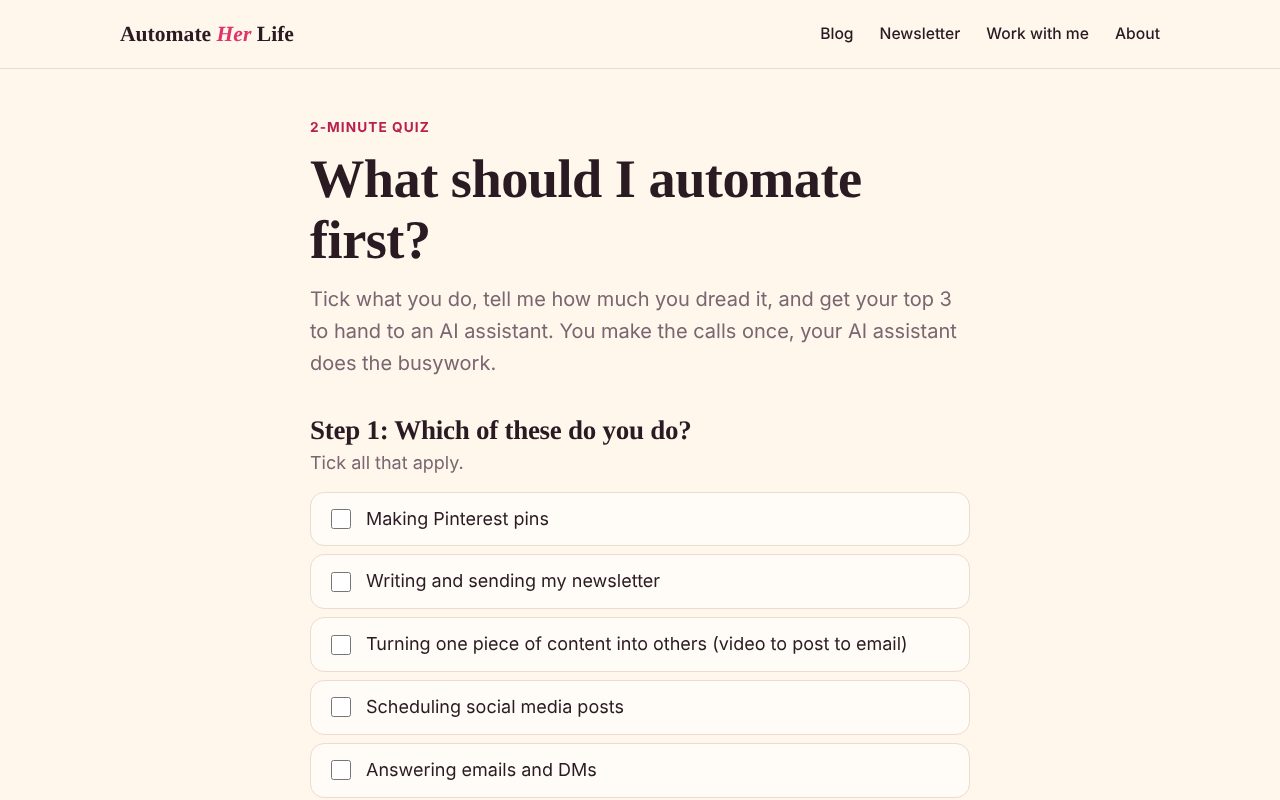
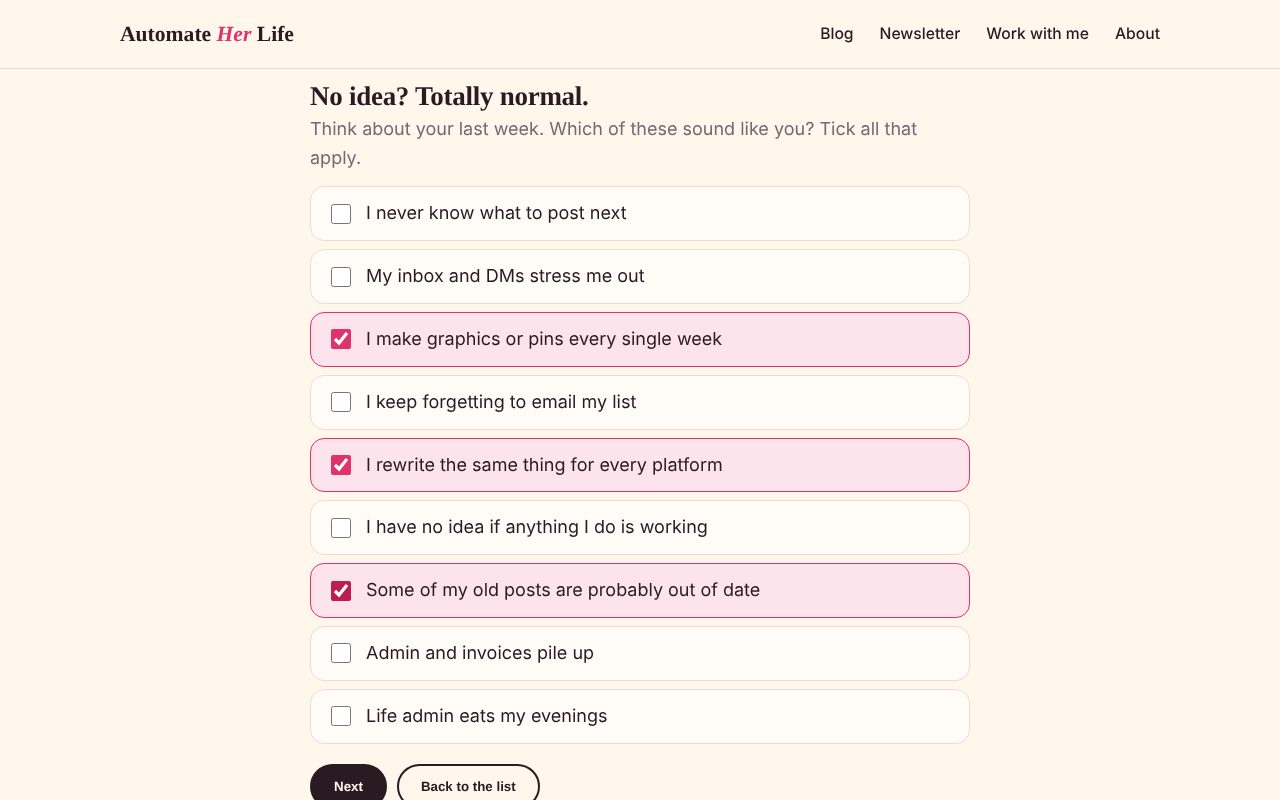
Or click "I have no idea, help me." This part was my idea. Plenty of us don't know what we'd automate, because we've never stopped to look. So under the list there's a second button. It swaps the task list for nine "sounds like me" sentences, like "I never know what to post next" and "Some of my old posts are probably out of date." You tick the ones that fit your last week, and the quiz picks the matching tasks for you.
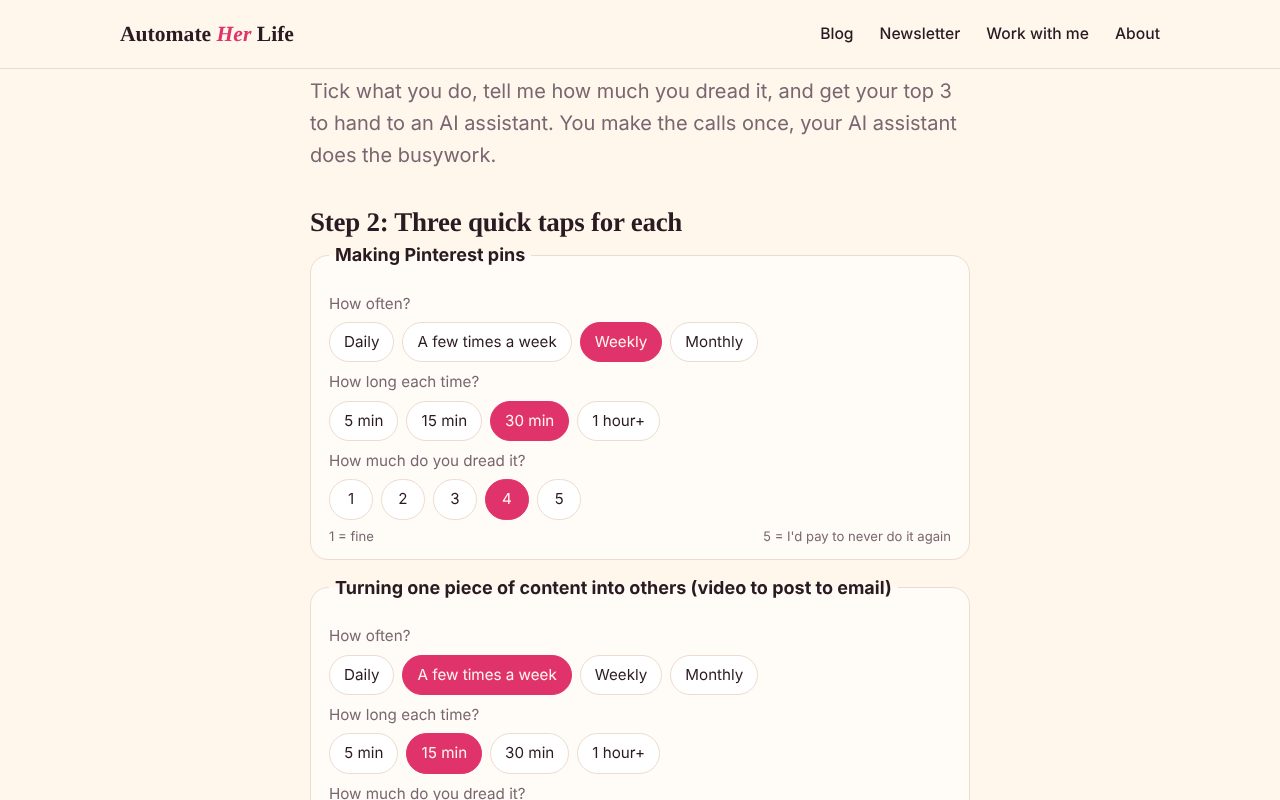
Step 2: three quick taps per task. For each task you picked: how often you do it (Daily, A few times a week, Weekly, Monthly), how long it takes each time (5 min, 15 min, 30 min, 1 hour+), and how much you dread it, from 1 ("fine") to 5 ("I'd pay to never do it again").
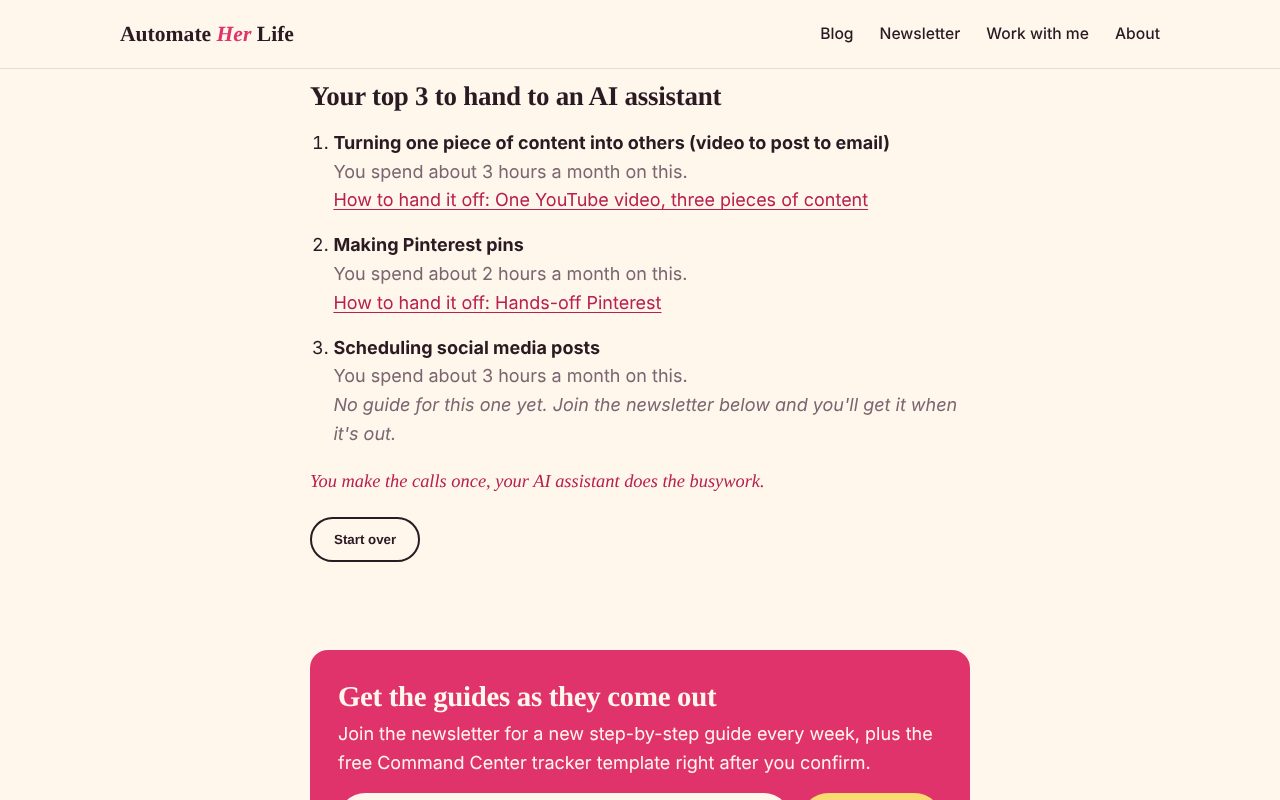
Your top 3. Click "Show my top 3" and you get your three tasks in order, how much time each one takes you a month, and a link to the post on this blog that shows how to hand it off. If there's no post for it yet, the quiz says so honestly and points you to the newsletter.
How the scoring works (it's just arithmetic)
No magic here, and I like it that way. The quiz does two little sums.
1. Minutes a month. Each "how often" answer stands for a number of times a month: Daily counts as 30, A few times a week as 12, Weekly as 4 and Monthly as 1. The quiz multiplies that by the minutes you picked (1 hour+ counts as 60). So pins done weekly at 30 minutes each is 4 times 30, or 120 minutes a month.
2. The score. Minutes a month times your dread number. The three highest scores are your top 3.
Here's the example in the screenshots above (made-up answers, just to show it):
- Turning content into other content, a few times a week, 15 minutes, dread 3: 180 minutes a month, score 540.
- Making Pinterest pins, weekly, 30 minutes, dread 4: 120 minutes a month, score 480.
- Scheduling social media posts, daily, 5 minutes, dread 2: 150 minutes a month, score 300.
- Keeping old posts up to date, monthly, 1 hour, dread 5: 60 minutes a month, score 300. A tie with social media, and on a tie the task higher up the list wins, so it came fourth.
Notice that social media takes more time than pins but came third. That's the dread number doing its job. A task you don't mind can wait. A task that drains you should go first, because getting it off your plate gives you back more than minutes.
Plain scoring vs. an AI-powered quiz
You could build a quiz where your answers get sent to an AI tool that writes you a custom result. I chose not to, and here's why.
Plain scoring means the quiz follows fixed rules, the arithmetic above, right in the reader's browser. That gives you three good things:
- No cost per use. An AI-powered quiz pays the AI company a little every time someone takes it (and bots can take it too, running up the bill). Mine costs nothing extra whether 5 people or 5,000 take it.
- The same answer every time. Same answers in, same top 3 out. AI tools can word things differently on each try, which is fine for a chat, and odd for a quiz.
- You can check it. Anyone can do the sums by hand and see why a task came first.
AI still did a lot here, just once, while building it.
What I decided, and what my AI assistant did
This is how most of my builds go, and it's the heart of this site: the ideas and decisions are mine, the busywork goes to my AI assistant.
I decided: that the quiz should exist (it's hard to know what to automate first), the shape (tick, rate, top 3), the "I have no idea, help me" path, and that every result should point to a real guide or honestly say there isn't one yet.
My AI assistant did: wrote the page, put all the wording in one plain file so it's easy to change later (the tasks, the "sounds like me" sentences and which post each task links to), tested it at phone width, and sent it to me as a pull request (a proposed change that waits for my yes before it goes live).
I said yes, and it went live that same afternoon. If you're curious how I decide what my AI assistant can do on its own and what always waits for me, that's my standing yeses.
What the quiz tells me (without being nosy)
Nothing a reader types is saved. The only thing the quiz sends anywhere is one small note when someone sees their results: which three tasks came out on top. That note is called a custom event: a named moment you choose to count on your site, on top of the usual page views. Mine is named automate_quiz_result, and it goes to Vercel Web Analytics, the visitor stats for my site. (Vercel is where my site lives; my tech stack post explains every tool.)
Over time, that tells me which tasks readers want help with most, which helps me pick what to write next. It's too new to have anything worth sharing yet. As of October 2026, Vercel's custom events are on its Pro and Enterprise plans, and you find them under Analytics, in the Events panel.
How to add a quiz to your own blog
If your blog is on WordPress
Use a quiz plugin (an add-on you install from your WordPress dashboard). One example: Quiz and Survey Master. As of October 2026, its core version is free on WordPress.org, its listing describes points-based scoring and result pages tied to score ranges, and its paid plans start at $149 a year for extras.
Whatever tool you use, the decisions are the same as mine:
- Pick one question your quiz answers. Mine is "What should I automate first?" Yours might be "Which camera should I start with?" or "Which of my courses fits you?"
- Write the answers in your readers' words. The "sounds like me" sentences work because they're how people actually talk.
- Decide the scoring on paper first. How many points each answer gets, and what each result says.
- Link every result to something useful: a post, a freebie, your newsletter.
If your site is built from code (like mine)
Ask your AI assistant to build it as a page. Do steps 1 to 4 above first, then give it something like this:
Build a quiz page on my site called [quiz name]. Here are the questions and answers: [your list]. Score it with plain rules, no AI: [your scoring]. Show the top [number] results, each with a link to [the post or page]. Put all the wording in one separate, easy-to-edit file. Send it to me as a change I approve before it goes live.
Then click through it yourself on your phone before you say yes.
If you're a virtual assistant, this makes a lovely small project for a client: they make the decisions (questions, scoring, where results point), and you set it up and check it works.
Your turn
Take the quiz and see your top 3. If pins come out on top, my hands-off Pinterest workflow is waiting for you.
Want a new step-by-step guide every week, plus my free Command Center tracker template? Join the newsletter.