I'm not a coder. When I started, I'd heard of GitHub, but I definitely did not know what it was. I'm learning all of this as I build it.
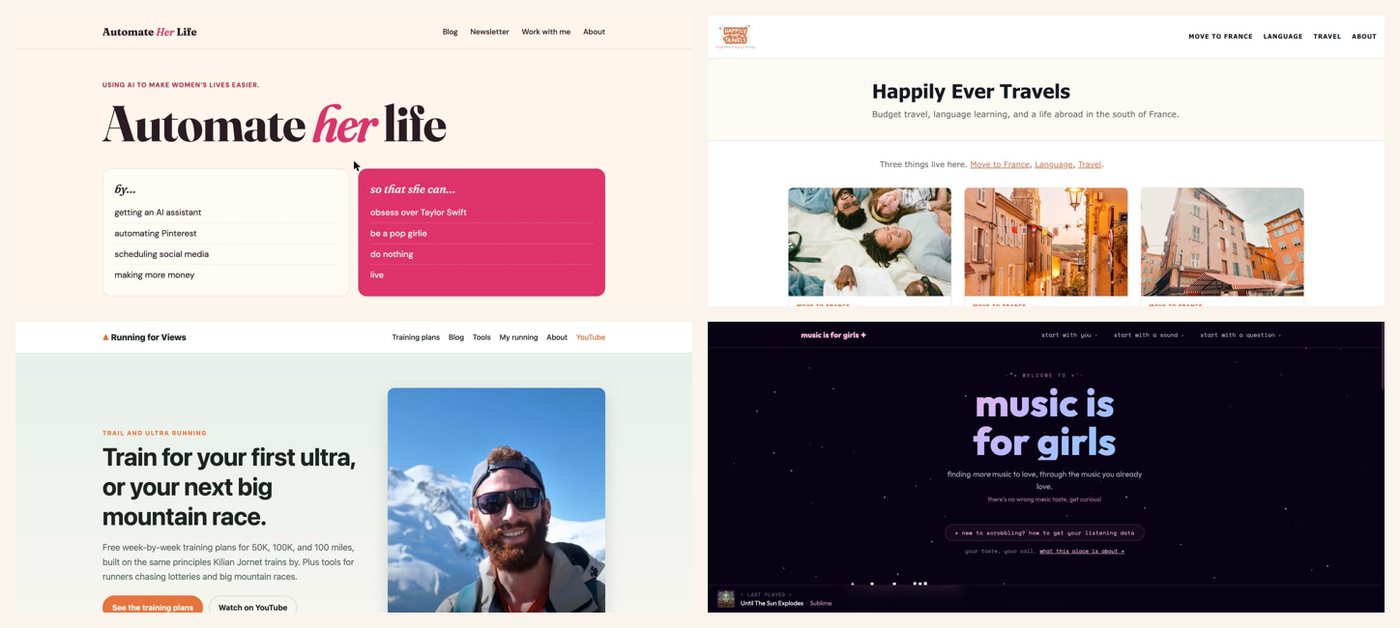
Today I run five websites (one of them is my husband's), help with a YouTube channel's blog and newsletter, and plan my whole week from one spreadsheet. Most of the heavy lifting is done by Claude, the AI I work with every day. Honestly, Claude is more of a co-producer than a tool at this point.
This post is the honest tour: every tool in my setup, what it does in plain words, what it costs, and what I wish someone had told me on day one.
The whole thing in one sentence
Claude does the work, GitHub stores it, Vercel puts it on the internet, Kit emails it, and one Google Sheet keeps track of everything.
That's it. Everything below is just those five pieces, explained.
1. Claude: the co-producer
What it is: an AI you talk to in a chat, like texting a very capable assistant.
What I use it for: almost everything. Building and fixing my websites, writing and checking blog posts, researching, keeping my to-do list, and reminding me of things before they become problems.
The features that make it work for a whole business, not just one-off questions:
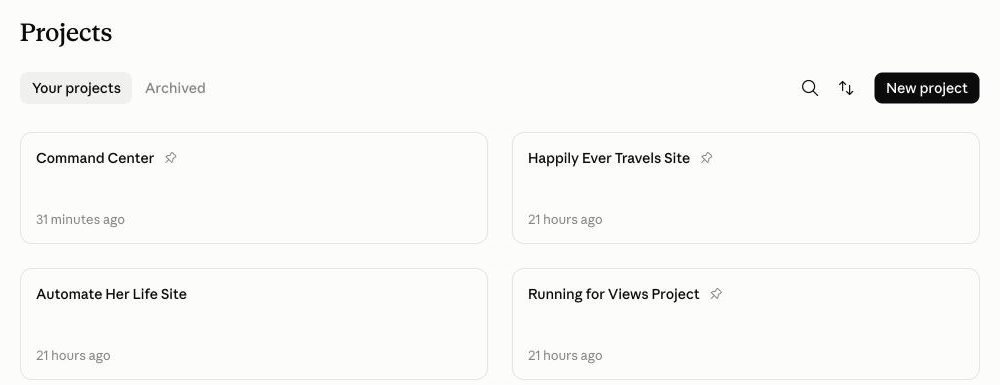
- Projects. I have one project per website or job. Each project remembers its own instructions and documents, so I never re-explain my music site to it.
- Connectors. Claude can read (and, when I say yes, write to) my Gmail, Google Drive, Google Sheets and Google Calendar.
- Claude in Chrome. A browser extension that lets Claude click around websites for me, like checking a dashboard or taking the screenshots in my guides. It asks before anything important.
- Scheduled tasks. Instructions that run on their own at a set time. Mine send me a to-do list every weekday morning, check my websites and renewals every Monday, and re-check my blog posts for anything outdated.
Cost: there's a free plan, but the features above need a paid one. Pro is $20 a month (or $17 a month paid yearly). I'm on Max, which starts at $100 a month, because I run a lot through it every day. Most people should start on Pro.
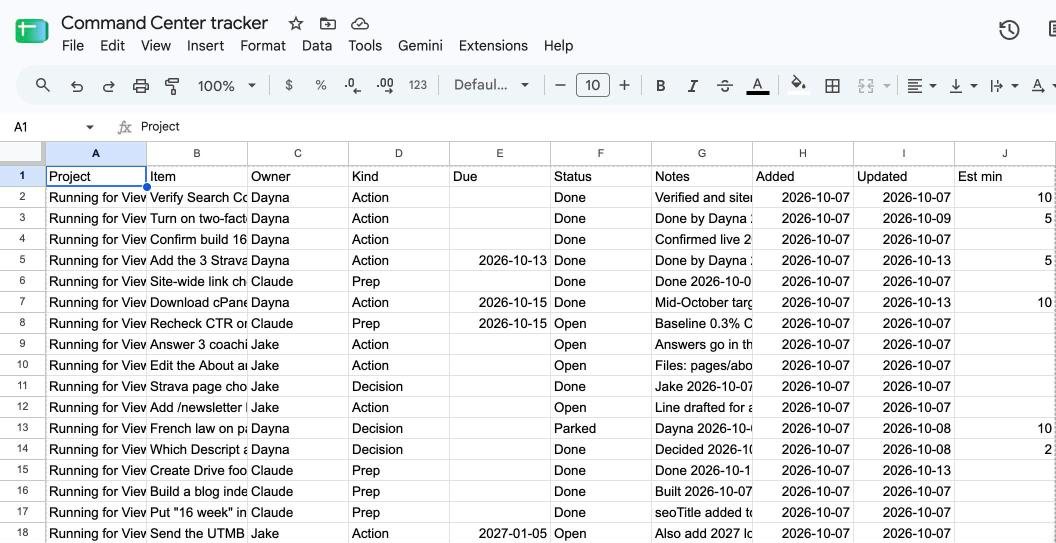
2. One Google Sheet: the command center
What it is: a plain Google Sheet. Free.
What I use it for: every task, for every project, lives in one place. Each row is one thing to do, with who owns it (me, my husband, or Claude), when it's due, and notes.
Every weekday morning, Claude reads the sheet and sends me a short list to my phone: just today's things, hardest first, each with the exact link or button to click. I never open the sheet myself unless I want to.
Beginner tip: start with these columns and nothing fancier: Project, Task, Owner, Due, Status, Notes.
What the morning list looks like: at 8:45 every weekday, a notification from the Claude app pops up on my phone. Tapping it opens a short message. It starts with a one-minute writing prompt, then lists my tasks for the day, hardest and most urgent first. Each task has a time estimate and exactly what to do: the link to open, the button to click, or wording Claude already drafted for me. It only includes what fits in four hours, says by name what got rolled to tomorrow, and ends with "That's everything for today."
3. GitHub and GitHub Desktop: where the website lives
What it is: GitHub is like Google Drive for the files that make up a website, with an undo button for every single change. GitHub Desktop is the free app that keeps a copy on your computer in sync.
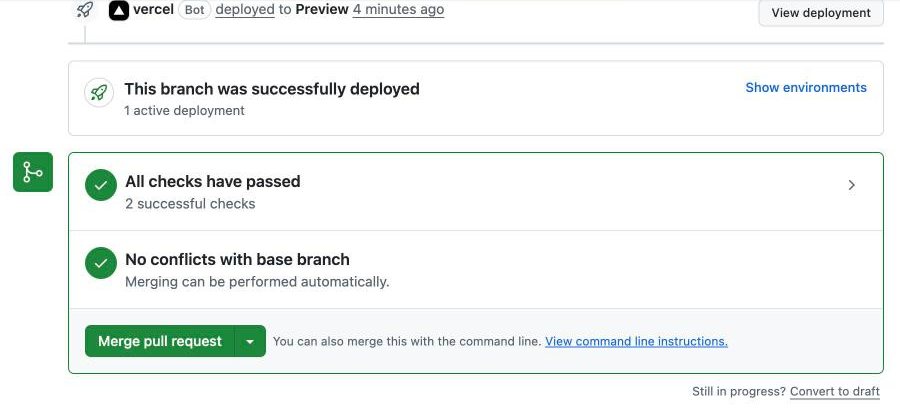
What I use it for: every one of my websites lives on GitHub. When Claude changes something, it doesn't touch the live site. It sends a pull request, which sounds technical but just means "here's a proposed change, want it?" I read the summary, look at the preview, and click Merge if I like it.
That's my favorite part of this whole setup: nothing goes live without my yes, and anything can be undone.
Cost: free.
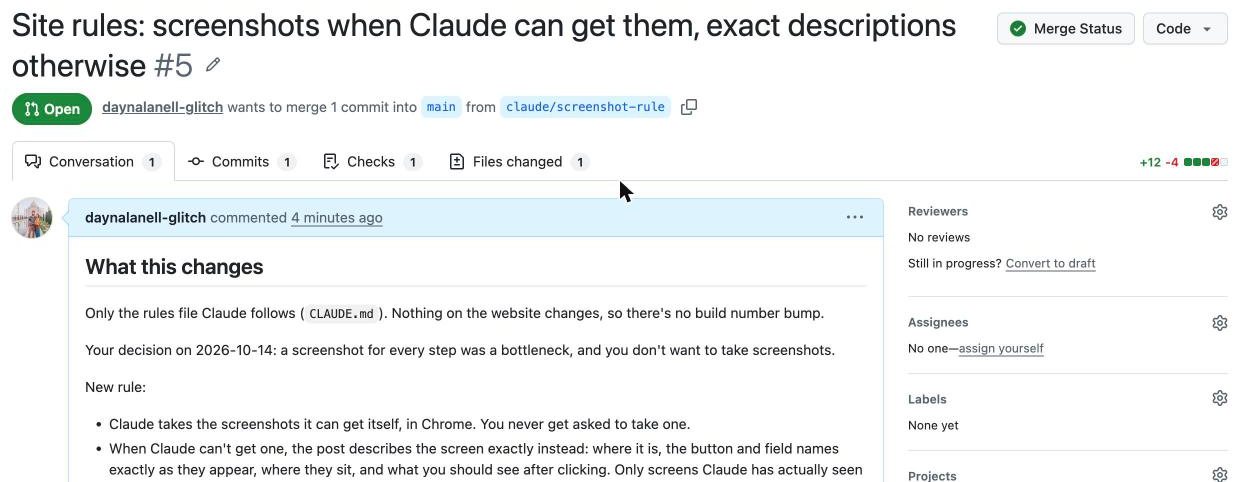
Scroll to the bottom of the same page and you'll find the green Merge pull request button. The green checkmarks above it mean the site built without errors.
4. Vercel: what puts the website on the internet
What it is: a hosting company. It takes the website files from GitHub and serves them to anyone who visits.
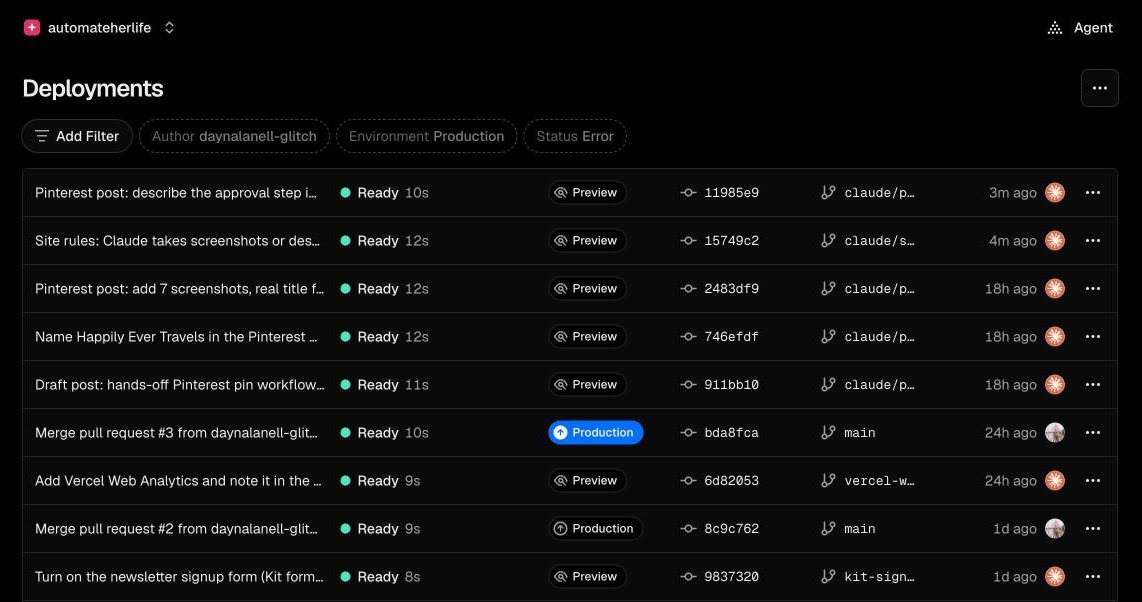
What I use it for: all my newer sites. The magic is that it's automatic: when I click Merge on GitHub, Vercel publishes the new version within a minute or two.
Cost: the Hobby plan is free, but it's only for personal, non-commercial sites. Once a site earns money (ads, sponsors, selling something), you need Pro, which is $20 a month.
Beginner tip: have Claude add a small "build number" to your site's footer that goes up by one with every change. Then you can tell at a glance whether your latest change is live.
5. A domain: your address on the internet
What it is: the name people type, like automateherlife.com. You rent it yearly from a "registrar."
What I use it for: each site has one. The only scary-sounding part is DNS, which is just the setting that tells the internet "this name lives at Vercel." Claude walks me through it step by step, and explains what each setting does.
Cost: mine renew at about $18 to $21 a year each.
Beginner tip: turn on auto-renew. Losing a domain because a card expired is a very bad day.
6. Kit: the newsletter
What it is: an email newsletter service. People sign up on your site, and you send them emails.
What I use it for: the newsletters for my sites. Claude can draft an email inside Kit, but a human always clicks send.
Cost: there's a free plan. Paid plans start at $33 a month (or $390 a year) and add things like automatic email sequences. Kit's plan details change, so check their pricing page before you choose.

Extras for video
If you make YouTube videos, two more tools:
- Descript edits video by editing the transcript, like a document. There's a free plan, and the Creator plan is $24 a month paid yearly ($35 monthly).
- TubeBuddy is a YouTube add-on that scores title ideas by how often people search for them. Optional.
I wrote up how these fit together in One YouTube Video, Three Pieces of Content.
What it all costs
The starter version (one website that makes money, a newsletter, a to-do system):
- Claude Pro: $20 a month
- Vercel Pro: $20 a month (or $0 while the site is personal)
- A domain: about $20 a year
- GitHub, Google Sheets, Kit free plan: $0
That's about $20 to $40 a month, plus the domain.
My version adds Claude Max instead of Pro, plus Descript and TubeBuddy for video. Worth it for me because it runs several businesses. Not where anyone should start.
What went wrong (so it doesn't happen to you)
It hasn't all been smooth, and you should know that going in.
- A site went offline because of bots. One of my sites was on Vercel's free plan. Automated bots visiting it pushed it past the free limit, and Vercel paused it until I upgraded. Now every site that earns money is on Pro, and a weekly check watches for usage warnings.
- Connecting accounts can quietly break other things. When I gave Vercel access to a new GitHub project, it lost access to the old ones. Nothing went offline, but updates would have stopped publishing. The fix was one setting: let Vercel see all my GitHub projects.
Neither needed any code. Both needed someone (Claude) to notice and explain.
Want to set this up yourself?
I'm putting together a step-by-step guide to the whole setup, made for complete beginners: every account in the right order, a screenshot of every screen, and the actual templates I use (the tracker, the instructions that make Claude follow my rules, and the morning list). Join the newsletter to hear first when it's ready.