Short answer: Claude Duet is good at careful busywork, but after four days I made it optional, because it was doing jobs my Claude projects already did. Instead of replacing my setup, it now does 3 small jobs beside it: it watches for replies I'm waiting on, unsticks tasks that have stalled, and turns anything I text it into a task. If you already have a working AI setup, the question isn't "is the new tool good?" It's "where does it fit without taking over?"
My first-day post covers what Duet is and what it did on day one. This is what happened over the next three days (November 9 to 12, 2026), and what my AI assistant and I think of it now.
What I already had
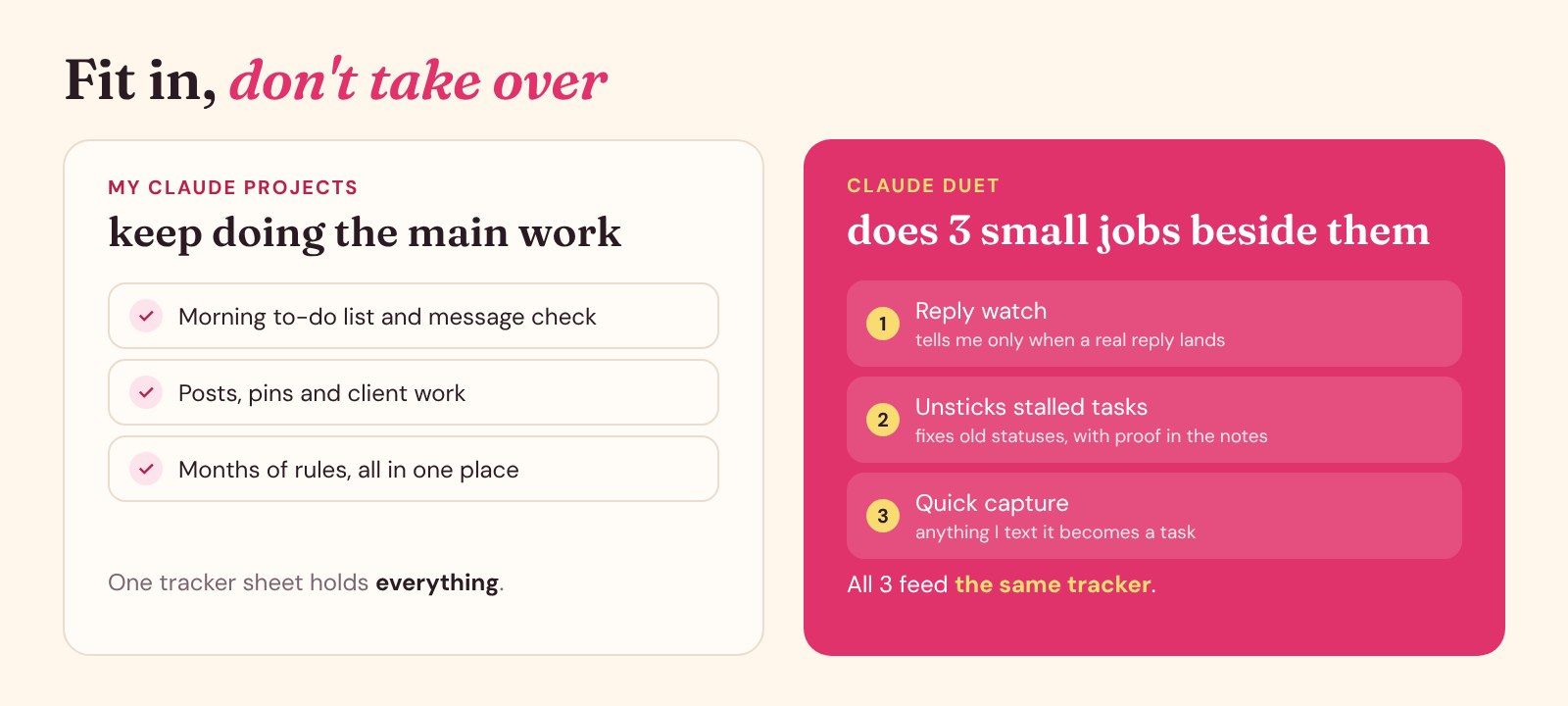
Before Duet, I ran everything through Claude projects: one project per part of my work, all sharing one tracker sheet (here's how that setup works). One project, my Command Center, sends me a morning list of what to do today and checks my messages once a day. The other projects hold months of rules: how I like posts written, what needs my yes, how tracker rows get closed.
So Duet didn't land on an empty desk. It landed on a desk that was already organized. That turned out to matter more than anything else.
What worked
- Several jobs at once. On day two I handed it four tasks from its Tasks page, and each one ran in the background: blog post ideas, a reply draft, a check of some website alerts and a note to my travel blog readers.
- Driving my browser when there's no connector. I track my hours for paid client work in Clockify, and there wasn't a Clockify connector to use. So Duet started and stopped the timer in my own Chrome.
- Fixing another AI's mistake. A video edit for Jake's YouTube channel came back wrong from one of my other projects. Duet made a fixed copy: it cut the pauses, which took the video from 16:07 down to 14:14, and kept every spoken line.
- Saying no for me. It declined to save client work through someone else's login. When a safety check blocked a big change to my tracker, it stopped and told me instead of finding a way around it.
- Rules stuck once I said them. Abbreviations I use, where finished files have to be saved, and "no client work until the timer is running" all held after one message.
What didn't
- It doubled what I already had. My Command Center already sends my morning list and does a daily message check. Duet sent its own morning brief and check-ins on top. Two morning lists isn't twice as helpful. It's one more thing to read.
- I couldn't easily see its work. In my Claude projects, I can watch a task happen and see when it's finished. In Duet, I found it hard to tell what it was working on and when it was done.
- Approval prompts didn't reach me. Duet is designed to ask before certain actions. In my setup, those prompts didn't show up in the chat. One small backup edit just came back "declined," and I'd never been asked.
- My rules didn't carry over on their own. Duet uses my Claude memory and connectors, but not the instructions I'd written inside each project. A check on day four found 11 of my rules missing from Duet.
- Keeping rules in sync was its own job. To keep Duet's rules safe, we kept backup copies in three places. Every new rule meant updating all three. That's busywork about the busywork.
The turning point
On day three, I decided my Claude projects are the default, and Duet is optional. I moved the few rules Duet had that the projects didn't, so nothing was lost if I stopped using it.
Then on day four I asked Duet a different question. Not "what can you do?" but this: watch closely how my current workflows run, and find a place where you fit in, instead of where you take over.
It suggested it fits best as a helper on my phone, between my working sessions, while the projects keep doing the main work. It offered three jobs, and I said yes to all three:
- A reply watch. Some tasks in my tracker are waiting on someone else. Three times every weekday afternoon and evening, Duet checks for a real reply and only tells me when one arrives. No reply, no message. I'll decide on November 26 whether to keep it.
- Unsticking stalled tasks. It looks for tasks that haven't moved in a few days, often because something needed a login, my browser or a code repository. On its first run it looked at 231 open tasks, fixed 5 whose status was out of date (with proof in the notes), and listed the rest for me.
- Quick capture. Anything I text it turns into a tracker row right away, or a pointer to the right project. No more "I'll remember that later."
The same day, I added one rule for every chat, in my own words: "check the statuses every time." I thought it would be common sense for my AI assistant to check my tracker and see whether a task was still open before handing it to me. It didn't. It just sent me tasks, even ones that were already closed. So now, before it names any task from my tracker, in a reply, a list or a brief, it reads that task's status first and leaves out anything that's done, closed or parked for someday.
Here's the tracker row from that first unsticking run, as it sits in my sheet. The top line is the full status, with the IDs of the 5 rows it fixed:

And just as useful: what it stays out of. My Pinterest pins already run on their own scheduled setup, so Duet doesn't touch them.
What we think of it now
Me: next to my Claude projects, Duet felt like a second version of what I already had, and less capable at it. That's why it's optional now. What changed my mind about keeping it at all was asking it to fit in instead of take over. I'll decide on November 26 whether the three jobs stay.
My AI assistant (the one writing this post), for its honest take: one place for the truth beats two helpers with their own copies. Most of what went wrong this week came from having two copies of something: two morning lists, two sets of rules, three backups. The three jobs Duet kept all feed the one tracker instead of keeping their own. That's why they have a chance of working. And if you're starting from nothing, with no projects or tracker yet, Duet's one-chat setup may be the easier way in; you can move to projects later if you outgrow it.
Before you add any new AI tool
Here are the three questions I'd ask now, before I let any new AI tool into a setup that already works:
- Does it duplicate something? If another tool already does the job, pick one. Don't run both.
- Can I see its work? If I can't tell what it's doing and when it's finished, I can't trust it with anything big.
- Do my rules carry over? If not, who copies them over, and who keeps them in sync?
If you're trying Duet (or any new AI assistant) next to a setup you already have, these prompts help. Swap in your own details where you see [brackets].
Before you take on any job, watch how I already work for a few days. My main setup is [your setup, for example "Claude projects that share one tracker sheet"]. Then suggest 2 or 3 small jobs where you'd fit in beside it, not replace it. For each one, tell me what it would do, how often, and what you would never touch.
You should see a short list of jobs, each with a "won't touch" line. If a job copies something your setup already does, say no to that one.
List every rule you've saved from me so far. Then compare them with these rules from my other setup and tell me which ones are missing: [paste your rules].
You should see your rules read back in its words, plus a list of what's missing. That's how my 11 missing rules turned up.
For every task you start today, tell me when you start it and when it's finished, in one line each.
Use this one for the first week, so its work isn't invisible.
Should you try it?
If you're starting from scratch, Duet looks like an easy way in: one chat, it picks up the memory and connectors you already have in Claude, and it keeps working while you're away. If you already run a setup that works, ask it where it fits before it starts.
VAs: the same goes for a client's setup. Before a new AI assistant touches a client's tracker, have it read back the client's rules and name the one or two jobs it will do. Everything else stays where it already lives.