Can you build a real web app with AI if you've never coded? Yes. My music site, Music Is For Girls, started as one page that showed my own listening history. Today it has its own domain, tools that anyone can use with their own music, and 100 saved changes behind it. I'm still not a coder.
This post is the honest version: the timeline, what changed at each step, the build that stayed broken for almost three weeks, and what I'd tell you before you start your own.
Where it started: album shelf
The first version was called album shelf. It's one page, hosted on Netlify, and it does one thing: you type a Last.fm username and it shows that person's music, styled like a 2006 MySpace profile.
(Last.fm is a free service that keeps a record of every song you play. Each play is called a "scrobble.")

It even has a Top 8, like MySpace did, and a customize panel where you pick an accent color, a "vibe" (MySpace, Emo, Scene or Cyber), and turn the sparkles and the scrolling banner on or off.
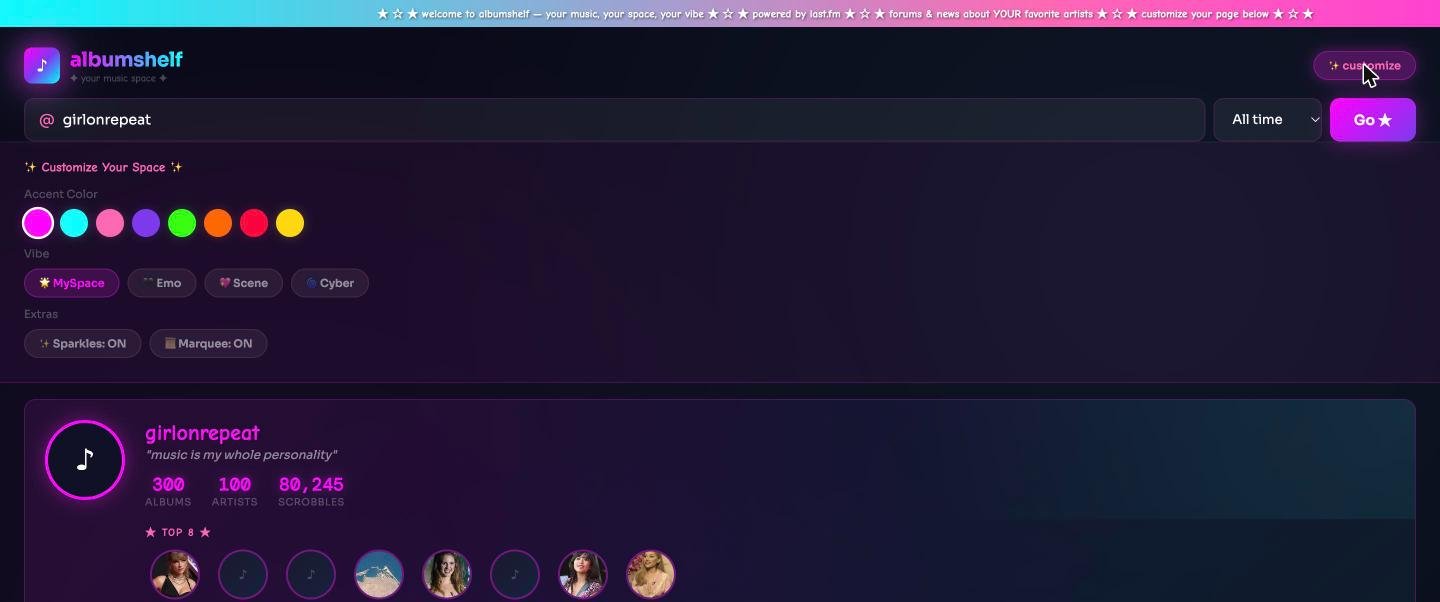
It was a toy, and it was mostly about me: my shelf, my Top 8. That turned out to be the most important thing to change.
The timeline
These dates come straight from the site's history on GitHub, which records every saved change.
- May 28, 2026: Music Is For Girls goes live. A brand new site on Vercel, with its own domain. It already had a homepage, a playlist maker, a "push my tastes" tool that suggests music one step outside what you usually listen to, and a "now playing" bar. The very first change on GitHub is called "Add files via upload": the files went in through GitHub's website, no terminal.
- August 27: the first big addition, and the first broken build. A new listening list got pasted into the homepage file, and the site stopped building.
- September: 93 changes in one month. Pages about record labels, artists, producers and songwriters, a taste map, genre guides, a build number at the bottom of every page, and Google Search Console.
- September 22: written instructions for the site itself. Files that explain how the site is put together and what's true right now, so any new AI chat can pick up the work without me re-explaining it.
- October: keeping it safe and cheap. A daily limit on how many times the site can ask Claude for something, after bots started crawling the site nonstop.
That's 100 changes in total, made over 10 different days.
From "my music" to "your music"
Here is what the site looks like now.
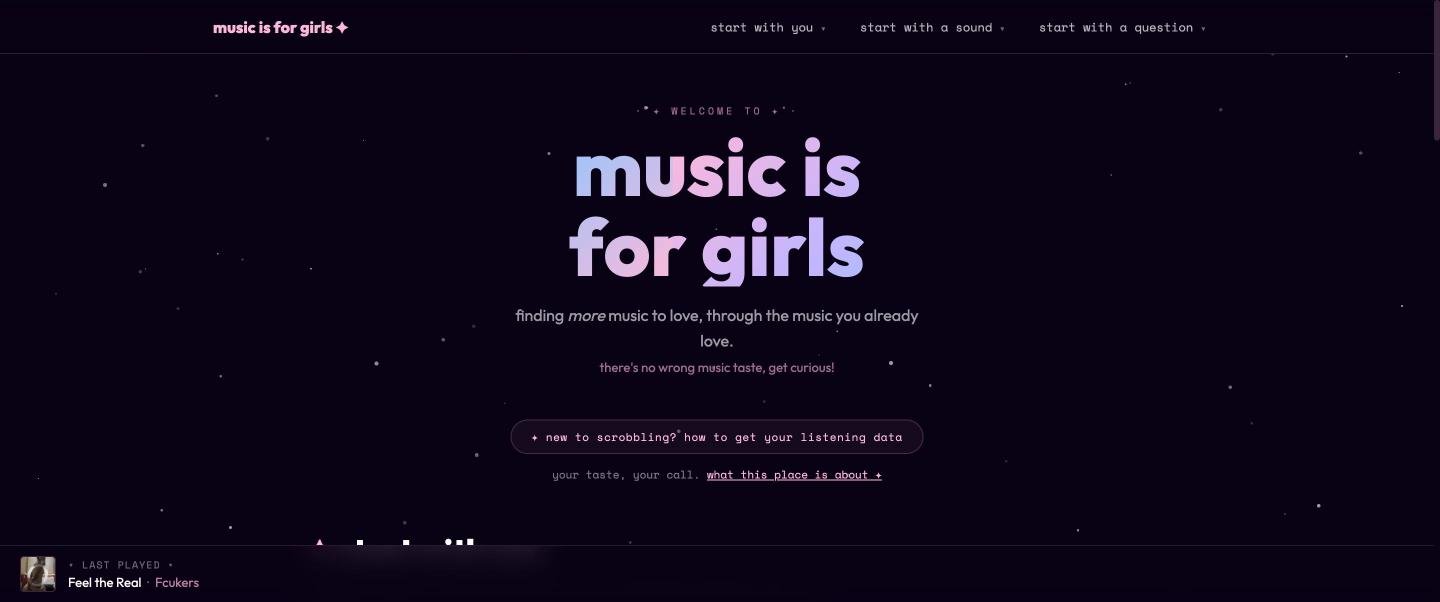
The biggest change isn't the design. Album shelf showed my music. Music Is For Girls works with yours. The taste map, for example, asks for your own Last.fm username and shows where your listening sits from level 1 (mainstream) to level 5 (experimental), plus artists to try next.
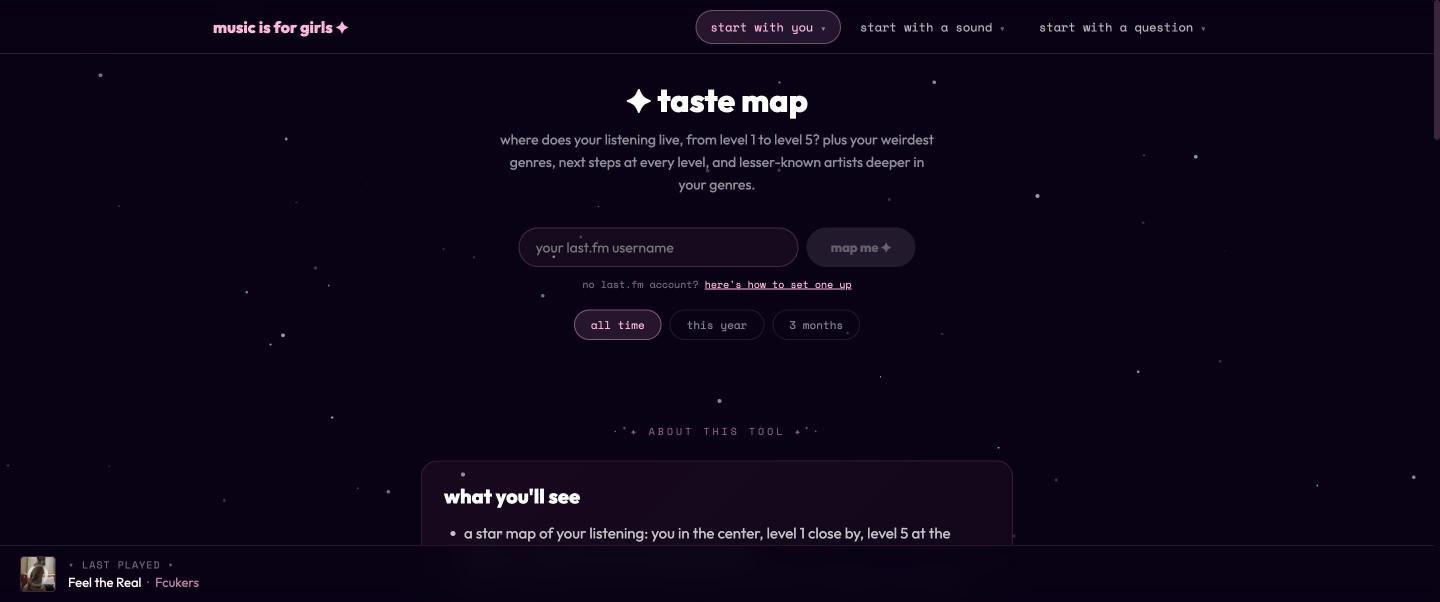
On September 16, the site stopped using my name and started calling me "girl on repeat." Not to hide, but because the site is about the person using it. Who built it matters less, because it's a set of tools.
If you're building something with AI, this is the question I'd ask early: is this for me, or for someone else? The answer changes almost every decision after it.
The build that broke for almost three weeks
On August 27, a new list went straight into the homepage file, the one big file that held almost the whole site. The site stopped building, and it stayed that way for almost three weeks.
The cause was found and fixed on September 14: a single missing <a in that homepage file. In web code, <a is the start of a link. One link had lost its beginning, so the code didn't make sense anymore, and Vercel refused to build it.
Two things fixed this kind of problem for good:
- Smaller files. New features now get their own page or their own file instead of being pasted into one giant file. When something breaks, there's less to search.
- A build number on every page. Since September 15, the bottom of every page shows a number that goes up by one with every change. If the number on the live site matches the newest change, it worked. If it doesn't, the new version didn't make it, and you know right away instead of three weeks later.
When the site got popular with bots
In October, my web host (Vercel) paused every site on my free plan because together they had used more than the free amount of server time in a month. The music site used the most, and when the logs were checked, about 90% of its server work was genre pages, with one crawler asking for a new genre every few seconds by following the site's own links from genre to genre.
Every one of those visits could ask Claude to write something, and each of those requests costs money. So the site now has a daily limit: after 60 requests to Claude in one day, it stops asking until the next day. Genre guides written by Claude only exist for a short list of featured genres; every other genre page uses free information from Last.fm.
If your app talks to an AI behind the scenes, put a daily limit on it from day one. Bots don't care about your budget.
What I'd tell you before you start
- Start with a toy. Album shelf was one page about my own music. It was small enough to finish, and it showed me what I actually wanted to build.
- Decide who it's for. "For me" and "for anyone" are different apps.
- Keep files small. One giant file is how one missing character hides for three weeks.
- Put a build number on the page. It's the easiest way to know if your change is live.
- Write things down for your AI assistant. A short file that says how the site works and what's true right now saves you from re-explaining everything in every new chat.
- Set limits on anything that costs money. Especially AI requests.
Want to see the tools behind all of this? Read the tech stack I run my whole online life on. And if you want the same kind of honest, step-by-step builds in your inbox, join the newsletter.